We dug into Claude Code's memory. Here's exactly how it works
Last month, our founder Dhravya Shah broke down how Instinct's memory works. We wanted to do the same for Claude, since that's where we spend most of our day.
We figured all of this out by asking Claude Code a lot of questions, reading the memory files it wrote on our machines, and going through Anthropic's docs, then double-checking whatever we could. Most of it should be right, but we haven't seen Claude Code's source, so some things might be off. If you spot one, please tell us!
TL;DR
- Claude's memory has come a long way this year. It now lives in four main places, each scoped to where you work.
- In Claude Code, you write CLAUDE.md and Claude writes auto memory, a folder of plain Markdown notes on your machine. Claude loads a short index at the start of every session and opens a note when it decides it needs one.
- Every memory system has to get three things right: what to write down, how to store it, and how to bring it back. Here's how Claude Code handles each, and where Supermemory adds to it.
Memory in the Claude app
If you use the Claude app, its memory is really good. It has been available on every plan since March, including Free. In July, Anthropic moved it from a single daily summary to separate topics that Claude saves as you chat. And since August 25, Chat and Cowork share one memory (when Cowork runs in the cloud):
Most of our work happens in Claude Code, though, so that's where we dug in.
Claude has four main kinds of memory
Going by the docs for the Claude app and Claude Code, we count four main memories Claude keeps for you, each scoped to a different place you work:
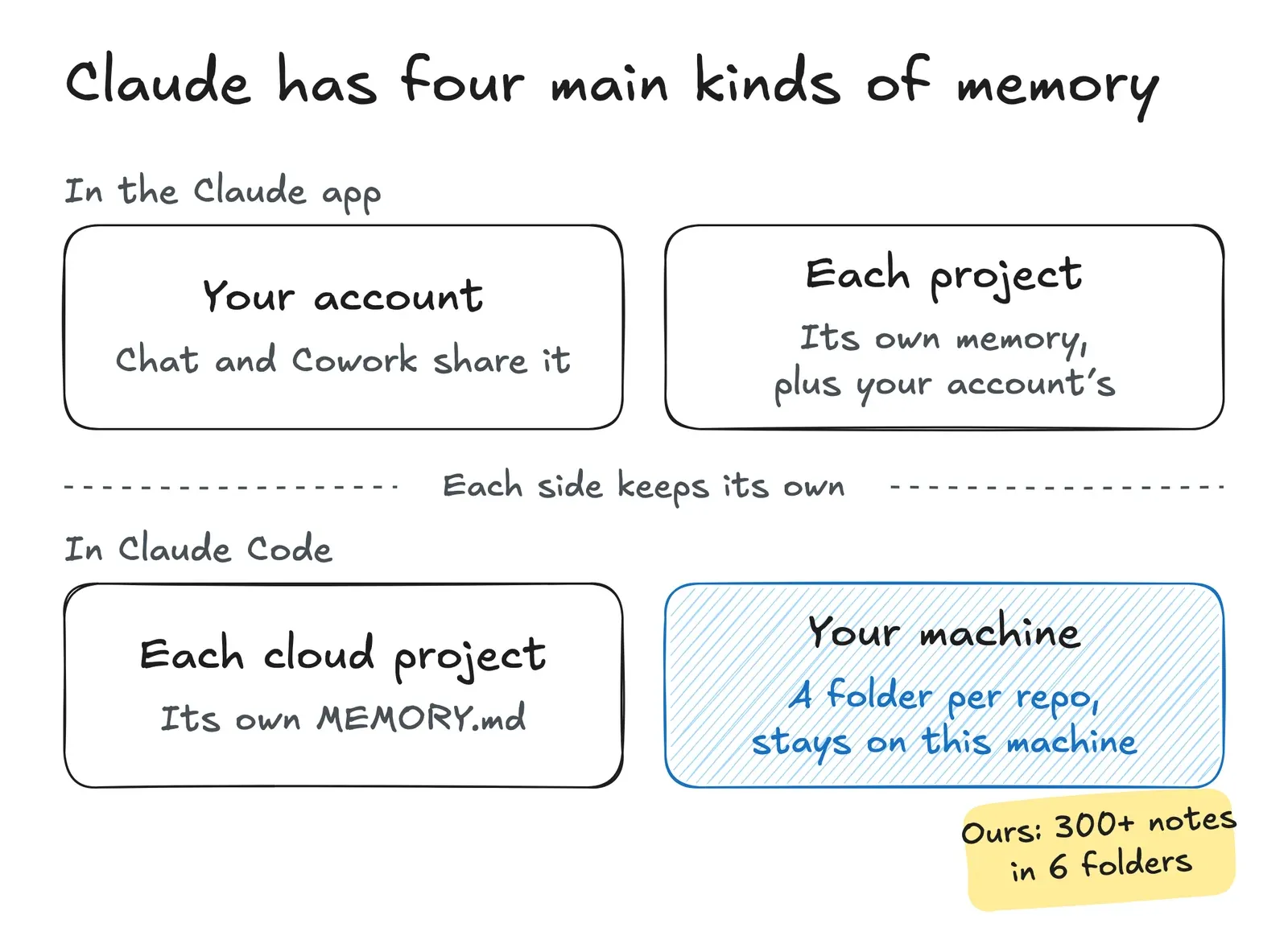
In the app, projects also draw on your account memory. Claude Code keeps its own, on your machine and in cloud projects.
Inside Claude Code's memory
Claude Code got auto memory in February (Thariq's launch post). Type /memory and you'll see this:
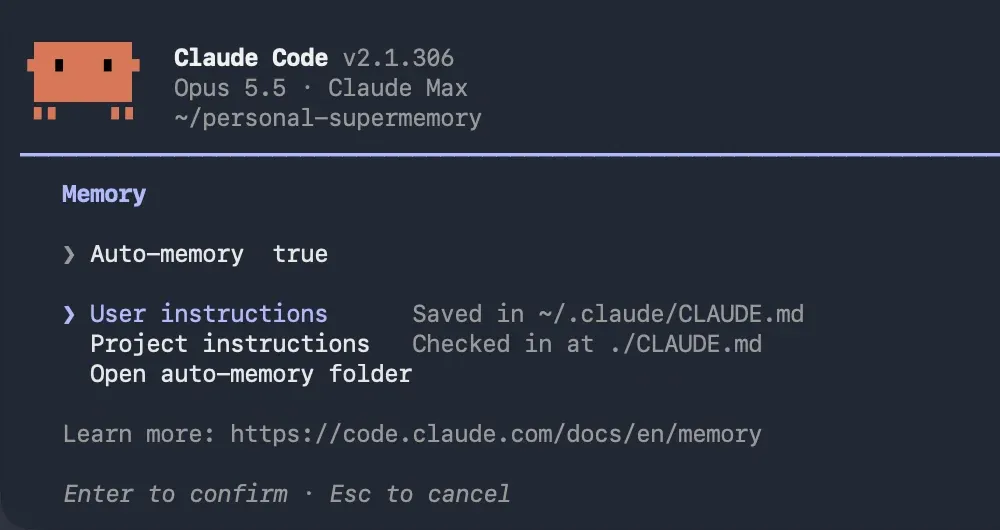
The two "instructions" entries are your CLAUDE.md files, which you write yourself. The project one lives in the repo, so if you commit it, it travels with the code. "Open auto-memory folder" takes you to the notes Claude writes: a flat folder of Markdown files, plus an index file, MEMORY.md, with one line per note. On one of our machines, that folder holds over 140 notes (names blurred):
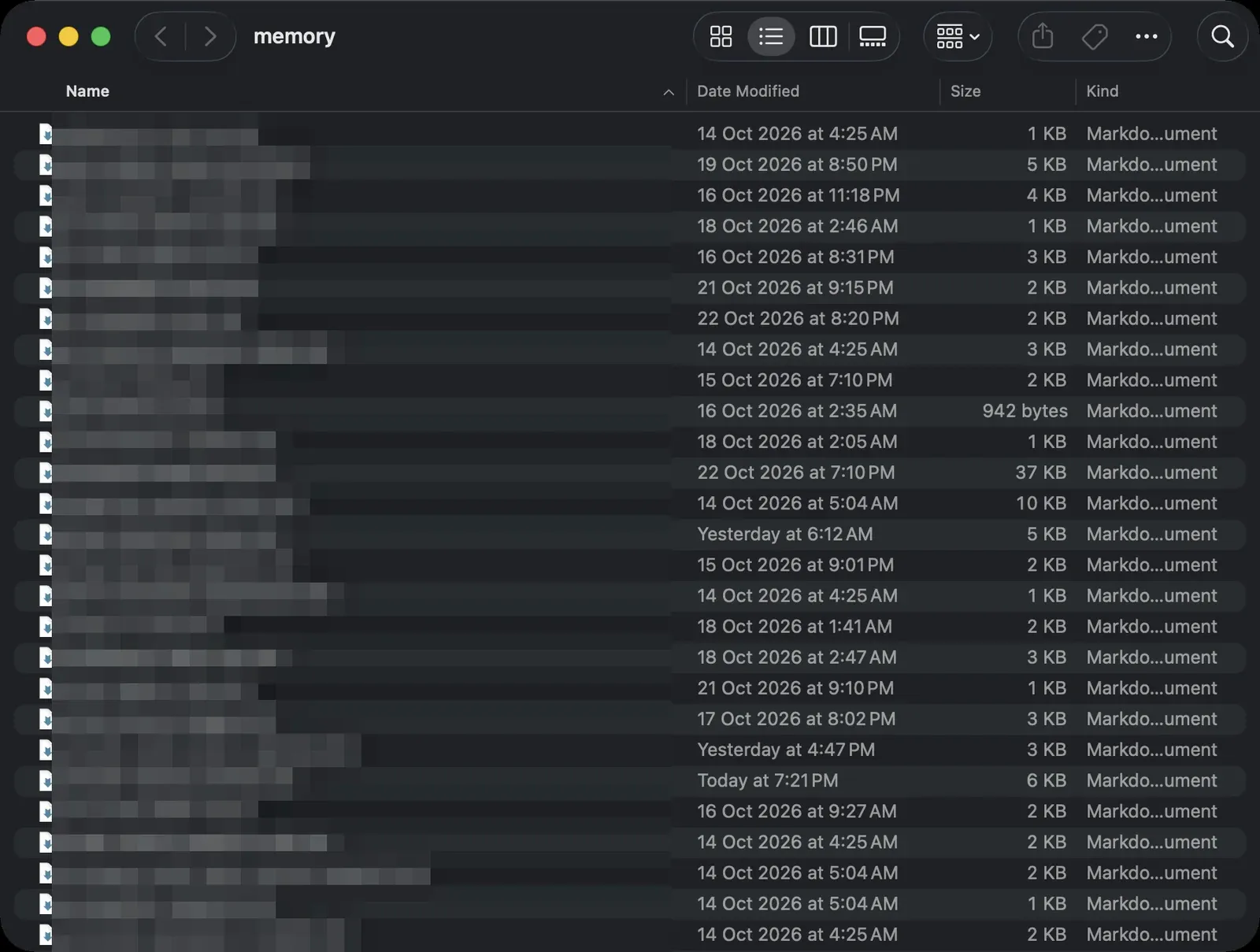
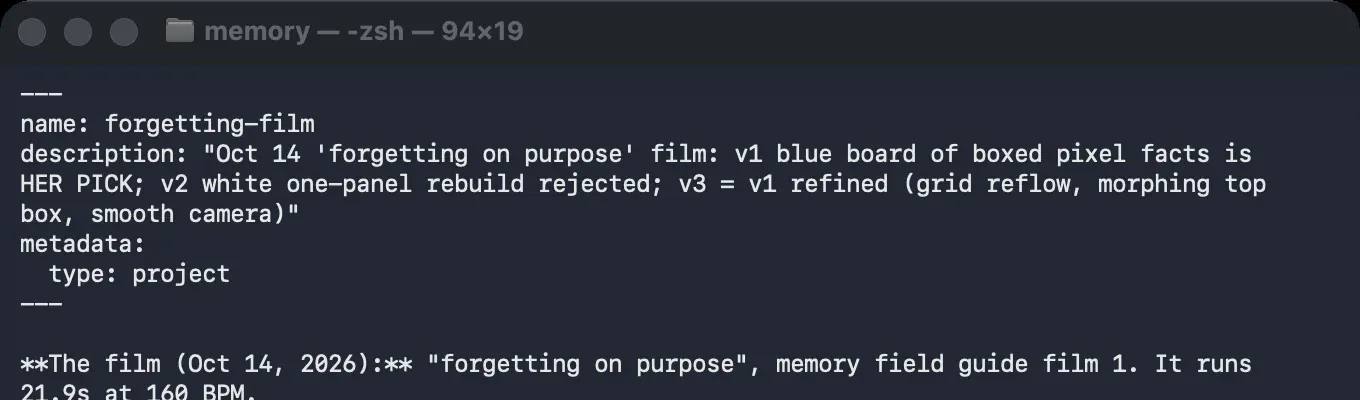
Each note is a short Markdown file with a header that says what it's about. Here's the one Claude reads in the next screenshot:
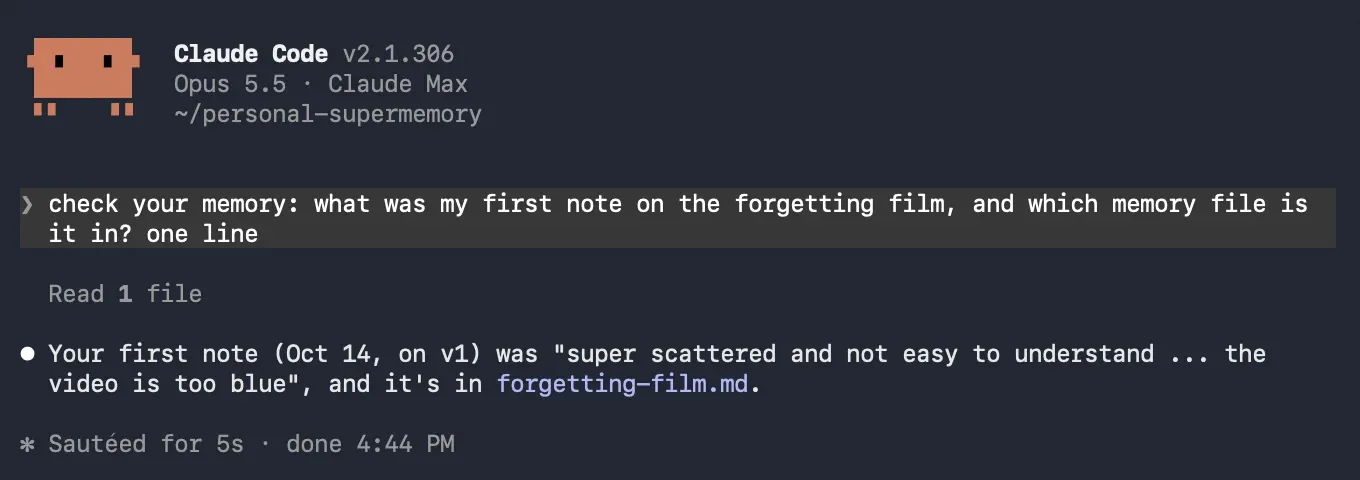
What Claude Code's memory does really well is transparency. It's all plain Markdown you can read and edit, and when you ask Claude to check its memory, it does:
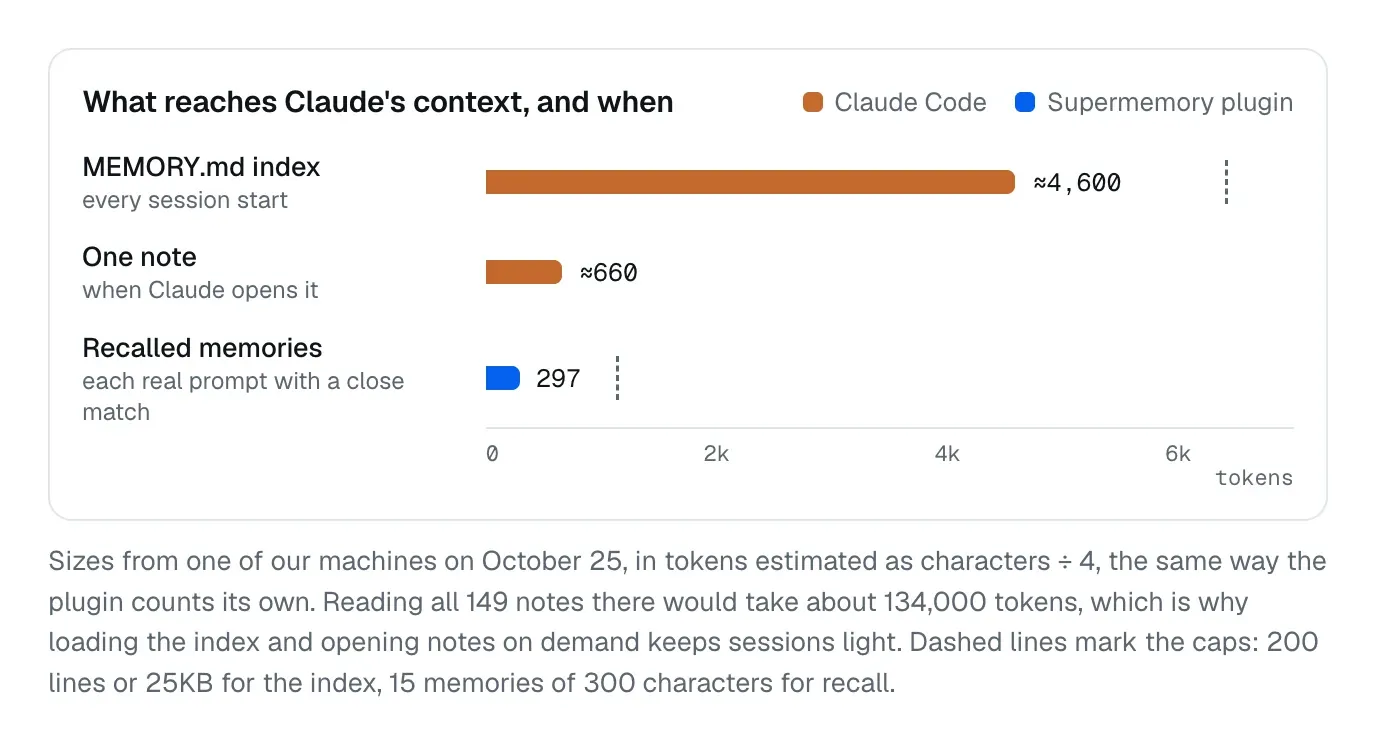
By default, Claude opens a note only when it decides it needs one. Each session loads the MEMORY.md index (up to 200 lines or 25KB), and the notes stay out of context until Claude reads them "on demand". That keeps sessions light. Two things we saw:
- The index had the answer: Claude named the film version we'd picked without opening a note.
- The index didn't: on a repo Dhravya has worked on for over three years, Claude checked the Git history for our old embedding model, a fair guess, but not the note that had it.
So a note helps only when Claude thinks to look.
Notes are plain files, so they behave like files:
- Latest version only: a note keeps its current text, not how it got there.
- Nothing expires: notes "stay until you or Claude edits or deletes them," so "I have exams this weekend" outlives the weekend.
- Tied to a path: the folder is named after the project's path, so a rename starts an empty one. After we renamed a workspace on October 14 and copied 84 notes over, more than a third of the copies drifted apart. You can pin the folder with
autoMemoryDirectoryin that project's settings. - One machine: "Auto memory is machine-local."
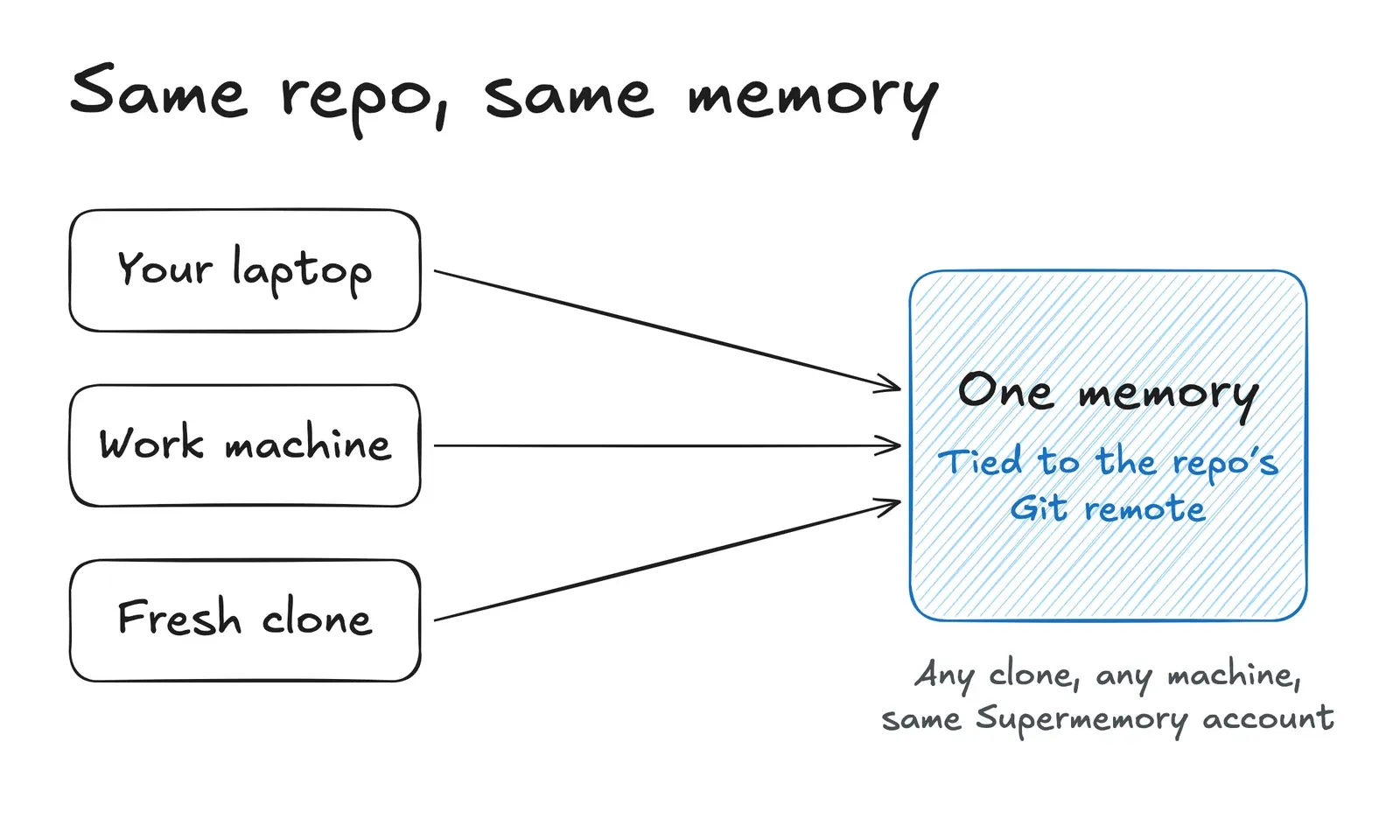
Our Claude Code plugin keys memory to the repo's Git remote instead, so it survives a rename and follows every clone with the plugin on the same account, on any machine. (A repo without a remote falls back to its path.)
The three hard parts of any memory system
The deeper we went, the more it came down to three things every memory system has to get right, ours included:
- Writing: what gets learned, and what that costs
- Representation: how it's stored
- The harness: how memory gets back to the model
1. Writing
Someone has to decide what's worth remembering. In any conversation there are endless things you could remember, but someone paying attention knows which two or three actually matter, and that takes taste. In Claude Code, Claude makes that call itself. The docs put it this way: "It decides what's worth remembering based on whether the information would be useful in a future conversation."
Supermemory gives this job to a dedicated learning model, which decides "what and how to learn, what is important, when to forget."
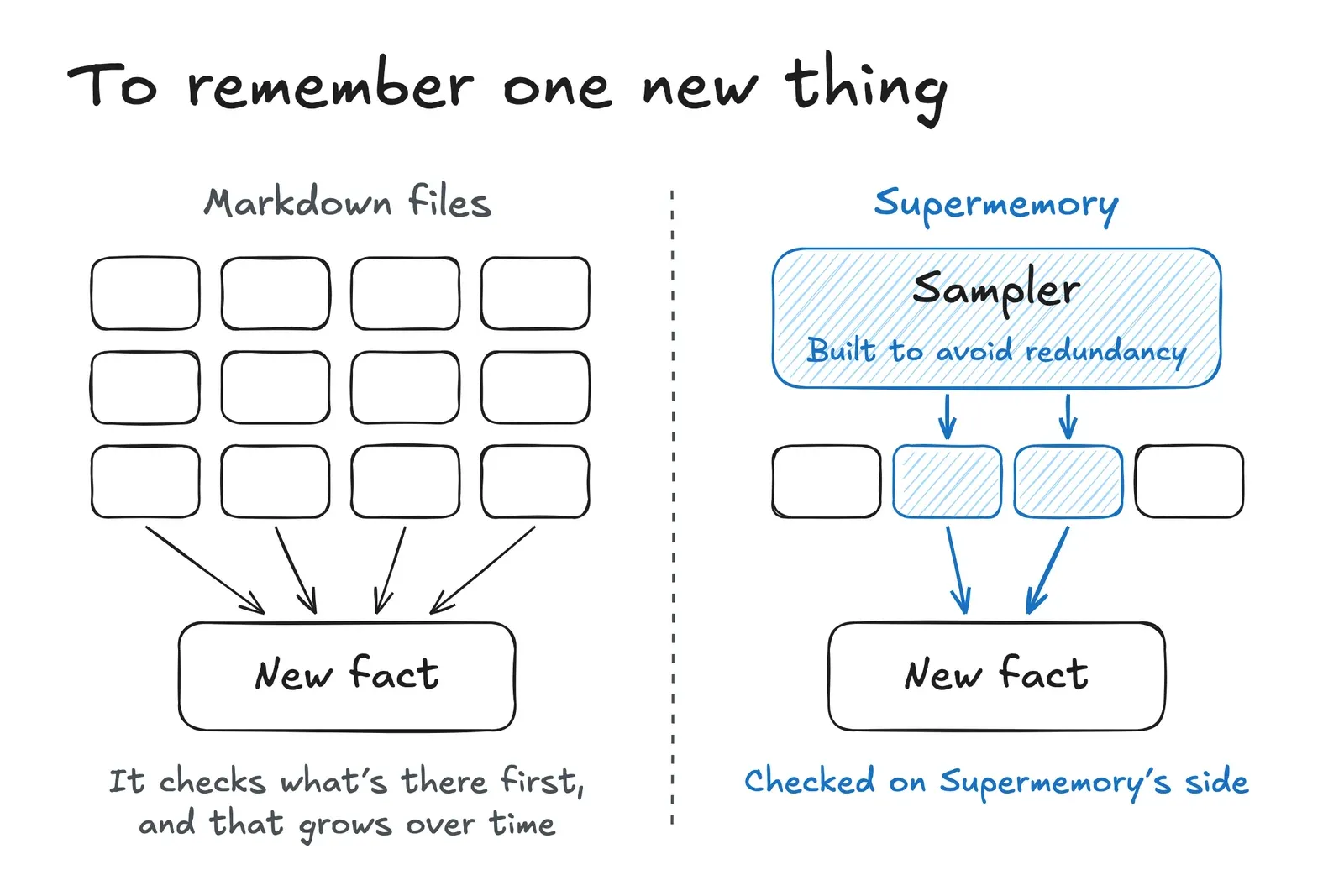
Then there's cost. To write a note well, you first check what's already there, or you end up with duplicates and contradictions. An index like MEMORY.md helps, but the more you store, the more there is to check.
Supermemory checks new information against what it already knows too, but on its own servers, so none of that reading lands in Claude's context. Dhravya describes it as a model trained to learn from incoming context, "along with a sampler that's also specialized for ensuring there's no redundancy."
2. Representation
You want two things from memory: what happened over time, and anything loosely related. We made a short video on exactly this a couple of weeks ago:
Our Claude Code notes link to each other, which covers some of the second. For the first, a note shows its latest state rather than how it got there. The memory folder isn't under Git by default, and even when it is, Git tracks whole files, so tracing one fact means digging through diffs. And "what points to this?" means searching every note, because nothing indexes the links.
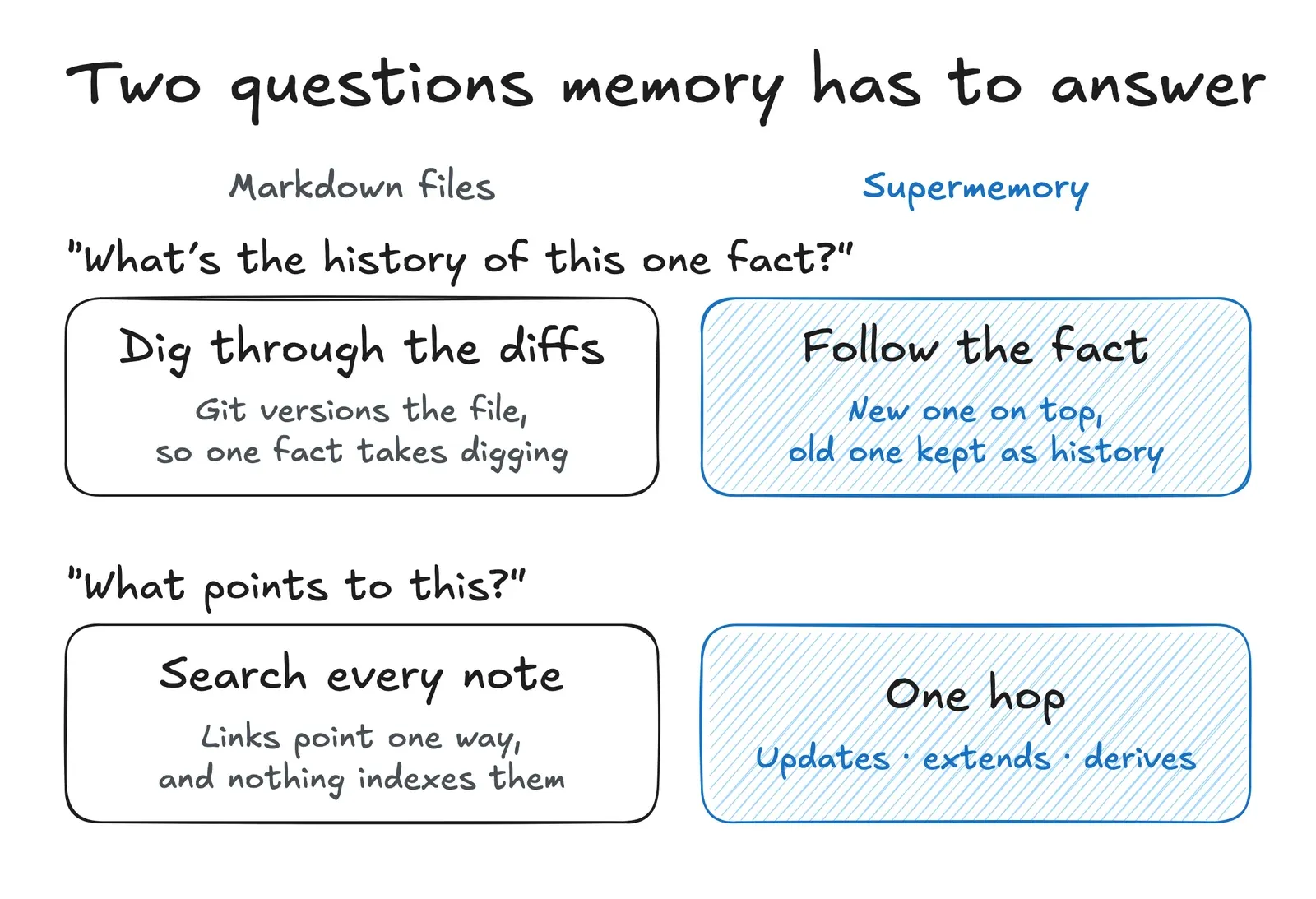
Supermemory stores memory as "a living knowledge graph of facts on top of other facts". When a fact changes, you get what's true now, with the old one kept as history. Facts update, extend, or derive from each other, and something like "exam tomorrow" stops counting once it has passed.
Here's what that looks like on one of our own memory graphs:
3. The harness
The harness is how memory gets back to the model. It needs three things:
- A profile: what the model should always know about you
- Hooks: a few related memories on every prompt
- Tools: so the model can look things up mid-task
Claude Code already has a version of the first and the last: CLAUDE.md and the MEMORY.md index load when a session starts, and Claude can open any note mid-task with its file tools. The plugin adds the most in the middle one.
A profile. Supermemory keeps one for each user or project, with long-term facts and recent context (static and dynamic), and keeps it up to date on its own. The plugin loads it when a session starts. Here's a test user's profile in our console: two messages went in, "I'm a morning person. I run at 6 a.m." and later "I'm not a morning person anymore. I run at 9 p.m. now.", and the profile kept the newer facts on its own:
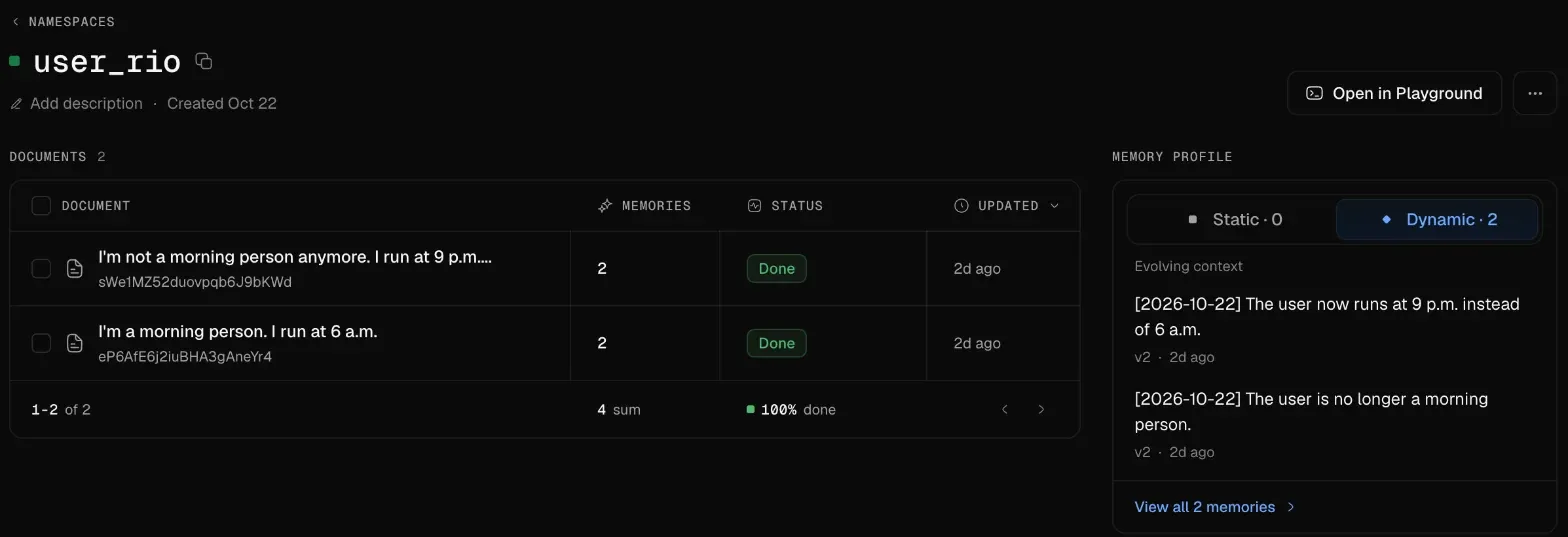
Fun fact: In Claude Code, Claude tidies its own index. When MEMORY.md gets near its limit, the docs say Claude Code "reminds Claude to shorten it: keep one line per entry, move detail into topic files, and merge or drop stale entries." Supermemory's profiles are "automatically maintained", so when "I run at 6 a.m." becomes "I run at 9 p.m.", nobody has to tidy anything.
Hooks. These are scripts Claude Code lets plugins run at moments like a new prompt. If memory is a notebook, each note is a whole page, but in the moment you want a line or two from every page that relates to what's being said. So on every real prompt, the plugin:
- searches memory
- adds the most relevant short memories (up to 15, 300 characters each) before Claude reads the prompt
Here's one of our sessions:
- the profile loads when the session starts: 7 memories
- 5 more are recalled for the question: about 297 tokens
- the answer is marked ◪ because it came from Supermemory
Just enough to point Claude in the right direction:
Tools. Halfway through a long task, agents often need something they didn't know they'd need. Every set of recalled memories ends with a pointer to Supermemory's search tool, so Claude can look things up on its own, the same way it would search a folder.
Keeping the raw text too
Even the best learning can't predict today what will matter later, and we've said so ourselves: "it's impossible to be able to accurately predict everything important for learning." So it still indexes everything raw, and on the API, search is hybrid by default: memories and the original chunks come back together, and the model decides what to use. (The Claude Code plugin's recall searches memories only.) Here's the full post:
Our vibe test of Claude Code's auto memory
Here's how we'd score it (✅ works well, ☑️ partly, ❌ not built in), going by the docs and our own setups today:
- Setup: ✅ none, it's on by default
- Reading and editing it yourself: ✅ excellent
- Recalling a fact when you ask it to check: ✅ good
- Recalling a fact without being asked: ☑️ depends on whether Claude thinks to look
- Pulling several notes together: ☑️ works once Claude opens them
- Version history: ❌ not built in
- Updates and contradictions: ☑️ up to Claude to notice and fix
- Forgetting stale facts: ☑️ no expiry, so you or Claude delete them
- Staying on your machine: ✅ great for privacy, though it won't follow you to another one
Overall, it's a thoughtful, transparent foundation: a notebook Claude keeps for you that you can always open and edit. Supermemory is built to sit alongside it, and in our sessions both run at once. It adds memory that connects facts, keeps track of how they change, and follows you from machine to machine. The trade-off is that with the plugin, that memory lives in your Supermemory account rather than in files on your disk.
Try it
Claude Code's plugin system makes it two commands:
/plugin marketplace add supermemoryai/claude-supermemory
/plugin install supermemory
Or set up all your coding agents at once: npx supermemory plugin finds Claude Code, Cursor, Codex and OpenCode on your machine and installs the plugin in the ones you pick. The plugins are available on every plan, and usage comes out of your plan's credits ($5 a month on Free).
Curious how many places Claude Code remembers you? Run ls ~/.claude/projects/*/memory/MEMORY.md. One of our machines has 6.
Oh, and something big is launching soon.