> ## Documentation Index
> Fetch the complete documentation index at: https://supermemory.ai/docs/llms.txt
> Use this file to discover all available pages before exploring further.
# Introduction - Memory endpoints
> Ingest content at scale, in any format.
**supermemory** automatically **ingests and processes your data**, and makes it searchable.
The Memory engine scales linearly - which means we're **incredibly fast and scalable**, while providing one of the more affordable
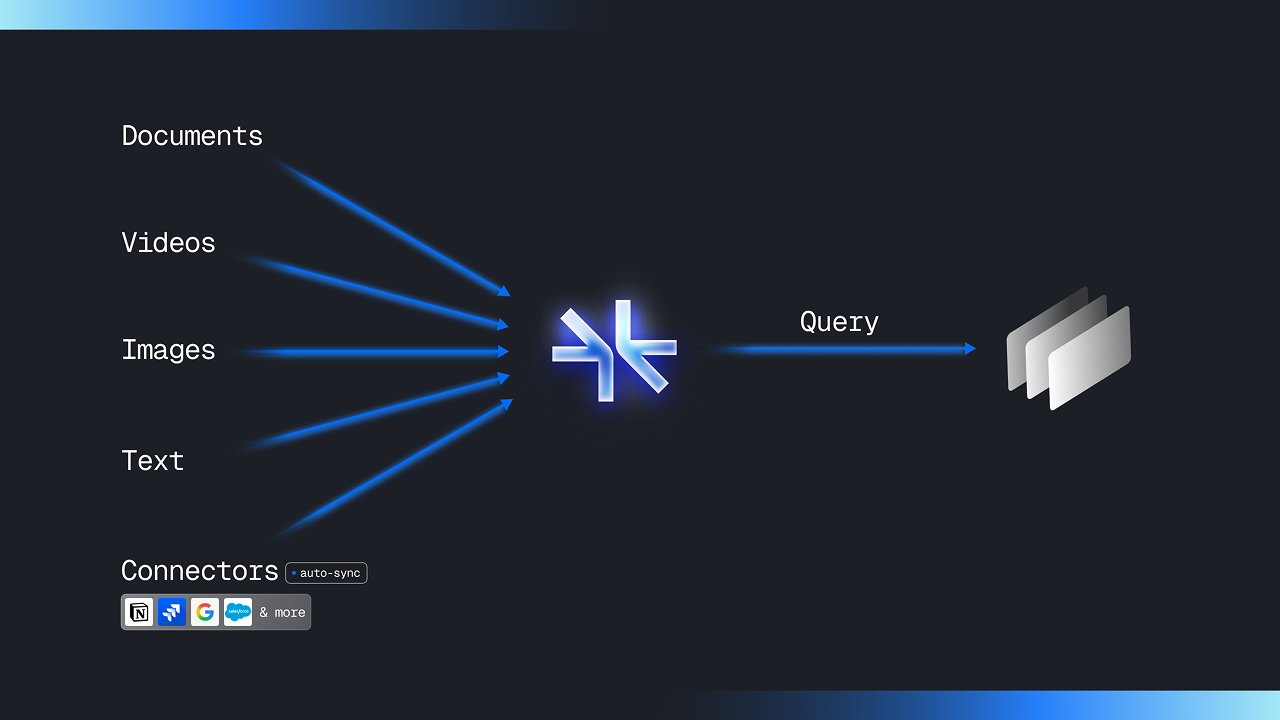 It also gives you features like:
* [Connectors and Syncing](/memory-api/connectors/)
* [Multimodality](/memory-api/features/auto-multi-modal)
* [Advanced Filtering](/memory-api/features/filtering)
* [Reranking](/memory-api/features/reranking)
* [Extracting details from text](/memory-api/features/content-cleaner)
* [Query Rewriting](/memory-api/features/query-rewriting)
... and lots more!
Check out the following resources to get started:
Get started in 5 minutes
Learn more about the API
See what supermemory can do for you
Learn more about the SDKs
It also gives you features like:
* [Connectors and Syncing](/memory-api/connectors/)
* [Multimodality](/memory-api/features/auto-multi-modal)
* [Advanced Filtering](/memory-api/features/filtering)
* [Reranking](/memory-api/features/reranking)
* [Extracting details from text](/memory-api/features/content-cleaner)
* [Query Rewriting](/memory-api/features/query-rewriting)
... and lots more!
Check out the following resources to get started:
Get started in 5 minutes
Learn more about the API
See what supermemory can do for you
Learn more about the SDKs